Thursday, March 22, 2012

Fake Google Antivirus

Cybercrooks are again using Google's established and popular name to spread malware. According to the GFI security researchers, popular websites have been compromised to redirect visitors to a page offering a fake Google antivirus. This malicious page claims that the Google system has detected unusual traffic in the user's computer. This is followed by a prompt to download a supposed antivirus to check for viruses and malicious files.


“Google systems have detected unusual traffic from your computer. Please check you PC on viruses. To continue, please download and install our antivirus software. [download button] or our system will block your access to Google services”.

The alert also scares off users by telling them that their access to Google services will be blocked if they fail to install the antivirus.

Make sure that you do not fall to this. Share this post and warn your friends about this fake Google antivirus scam.

Friday, March 9, 2012

Google Pharmacy Spam

Search engine giant Google may have already launched a number of successful products but contrary to what several spam mails claim, the tech giant has NOT YET ventured on a Google pharmacy. Here's a few text from the misleading Google online pharmacy spam that's going around right now:


"We've just launched a pharmaceutical interfaces for Google, as well as several new features that will improve the Google experience for the people buying pills and using pharmaceutical interfaces.

We are really pleased to have worked on a launch that will help people use pharmacy and surgery.

We are currently working to make it available to even more users with more language interfaces.

Visit Google's Accredited Pharmacy"

Google Pharmacy Spam


Things You Should Know
1. There is no such thing as Google pharmacy. It is likely that the cyber crooks who distributed the Google pharmacy spam are exploiting the popularity and name of the brand. The message may provide what is supposed to be a link to the Google pharmacy website but you will either be directed to a malicious page or an online pharmacy site that is NOT owned by Google.

2. Flag the Google pharmacy email as spam. If you have received the message, it is best that you mark the mail as spam as this may help your email service provider filter out messages like this.

how to mark an email as spam

3. If you have friends who have received the same google pharmacy spam mail, share this article and tell them Google online pharmacy is a hoax.

Sunday, March 4, 2012

Your Video on the TOP of YouTube

Do you post videos on Youtube? For videos that you might have wanted to become viral, you may be looking forward to having your work seen by hundreds or thousands of viewers. Unfortunately, scammers are also spreading misleading messages via email that tell you your video is on top of youtube.


YouTube Service sent you a message: Your video on the TOP of YouTube


Even if the link you are asked to visit appears to be a youtube page where you can view which of your videos is trending, this youtube email is actually a fake. This is not the first time that spammers use the name of the popular video hosting site Youtube. Other variations of youtube spam mail have already been distributed in the past. Examples of the contents or title of these mails are as follow:

YouTube Administration has sent you a message:
Your video has been approved

http://www.youtube.com/watch?v=DNPTQAky&feature=topvideos_entertainment
You can reply to this message by visiting your inbox.


YouTube Administration sent you a message: Illegal video warning


What to Do if You Received the Fake Youtube Email Spam

1. Ignore these messages and DO NOT click on any of the attached link that comes with these mails. Remember, this email is a hoax and it is likely unsafe to follow the links attached by the spammers.
2. Mark the email as spam. By doing this, you "notify" your email account that such messages are unwanted and spammy. This may help prevent you from receiving the spam again in the future.

youtube spam
3. Share this article to your friends and warn them about the Your Video on the TOP of YouTube emails.

Wednesday, February 29, 2012

PC Cleaner Pro

The fake pc cleaner pro is another malicious program that pretents to detect and fix errors and security issues in your PC. This malicious program can make you believe that you need the software it promotes to boost the efficiency of your PC. This article provides information on how to get rid of PC cleaner virus.


The PC cleaner scam
PC Optimiser is a clone of the several othe fake defragmentation and optimization tools. Its symptoms may include browser redirects and generation of deceitful warnings and popups. Do no fall to the traps of the PC cleaner scam.

PC cleaner removal
Removing PC cleaner is necessary since the symptoms of defrag cleaner viruses can be annoying: popups, fake system scan, browser hijacking and even inability to access websites you want to visit.


PC cleaner free removal: How to remove PC cleaner pro

* Reboot your computer in Safe mode with networking.

* Malwarebytes is getting recognized as a reliable fake antivirus removal tool and you can download this program and use as a PC cleaner removal tool.
* Double-click mbam-setup.exe and follow the prompts to install the program.
* At the end, be sure a check-mark is placed next to the following:

Update Malwarebytes’ Anti-Malware
Launch Malwarebytes’ Anti-Malware

* Click Finish.
* If an update is found, Malbytes anti malware will download and install the latest version.
* Once the program has loaded, select Perform quick scan, then click Scan.
* When the scan is complete, click OK, then Show Results to view the results.
* Be sure that everything is checked, and click Remove Selected. Reboot your computer if prompted.
* When completed, a log will open in Notepad. The PC cleaner malware should now be gone.

Windows PRO Scanner

The Windows PRO scanner virus is a malware that deceptively imitates the appearance of legitimate antiviruses. If you have seen popups and what appear to be reports of viruses and malwares detected by the Windows Pro Scanner software in your computer, this is likely a scam. The generated reports have no basis at all and the program is merely distributed to scam people off their money.


Windows PRO Scanner
For details on how to get rid of windows pro scanner, please read this post. The article will give you information on how to remove windows pro scanner virus from your infected computer.

Windows Basic Antivirus

The rogue Windows Basic Antivirus virus is a deceitful malware pretending as a security software and is trying to scam users by selling non working license or activation keys. Here's an article on how to remove windows Basic Antivirus.


What is Windows Basic Antivirus?
The Windows Basic Antivirus can look like a software that can provide solution to errors and security threats such as viruses, worms, trojans and other malwares in a computer. "Windows Basic Antivirus" may appear to detect problems with your PC. It is necessary that you remove this "Windows Basic Antivirus" malware from your computer. Similar scarewares include security protection virus and active security virus.

You must also get rid of Windows Basic Antivirus scam infection because it can make it difficult to visit internet sites and use your computer.

How to delete Windows Basic Antivirus

You can use Malwarebytes anti malware to remove this virus called Windows Basic Antivirus. Refer to the Windows Basic Antivirus removal guide below for information on how to get rid of windows Basic Antivirus virus

* Reboot your computer in Safe mode with networking. Do this by restarting your PC and pressing the F8 key after hearing your computer beep on startup. Once the Windows Advanced Options menu appears, select Safe mode with networking and then press ENTER.

* Download Malwarebytes’ Anti-Malware.
* Double-click mbam-setup.exe and follow the prompts to install the program.
* At the end, be sure a check-mark is placed next to the following:

Update Malwarebytes’ Anti-Malware
Launch Malwarebytes’ Anti-Malware

* Click Finish.
* If an update is found, Malbytes anti malware will download and install the latest version.
* Once the program has loaded, select Perform quick scan, then click Scan.
* When the scan is complete, click OK, then Show Results to view the results.
* Be sure that everything is checked, and click Remove Selected. Reboot your computer if prompted.
* When completed, a log will open in Notepad.

Virus windows Basic Antivirus removal free
Using Malwarebytes as a Windows Basic Antivirus removal tool, you can follow this guide on how to remove Windows Basic Antivirus virus as well as other fake antiviruses.

Tuesday, February 28, 2012

Smart Fortress 2012

The Smart Fortress 2012 may look just like any other antivirus product but this is actually a malicious software bound to scam computer users who do not know the program is a rogue software.


The smart fortress virus simply imitates the look and even the characteristics of real security products so it is much easier to convince people to hand out their credit card details to pay for the Smart Fortress full version or license key which happen to be not working at all.

The Smart Fortress Scam software appears to scan your PC and then detects viruses and other malwares in your computer but these are all bogus reports. It is necessary to get rid of smart fortress infection once your computer shows symptoms of having been compromised by it.

remove fortress virus

Smart Fortress Removal
For information on how to remove smart fortress virus, please refer to this post on getting rid of fake antiviruses from a computer using Malwarebytes.

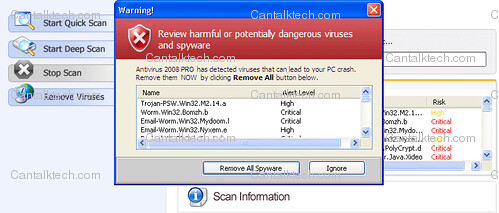
Smart Fortress 2012 Warning: Samples of Bogus Alerts Generated by this Fake Antivirus


Intercepting programs that may compromise your privacy and harm your system have been detected on your PC.
Click here to remove them immediately with Smart Fortress 2012

Warning!
Application cannot be executed. The file notepad.exe is infected.
Please activate your antivirus software.

Warning: Your computer is infected
Detected spyware infection!
Click this message to install the last update of security software…

 
design by suckmylolly.com